Why a 36-Pound Computer? ...Combined with Remote Access? by VJ Farmer |
||||||
 While
we anticipate that the most common and multi-use camera at MMA will be the
iPhone, we needed a beefy workhorse computer to make it easier to put YouTube
videos together. While
we anticipate that the most common and multi-use camera at MMA will be the
iPhone, we needed a beefy workhorse computer to make it easier to put YouTube
videos together.
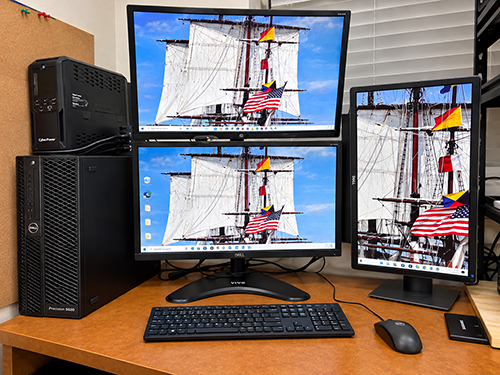
Lightning took out its C drive. So I replaced the one 5820 with two younger Dells here in Fort Myers. I have conflicting audio input needs here now with digital amateur radio applications. However, I decided to rehab that 5820 as a remote server. While looking for an inexpensive main computer for the Lab, I ran into a company in Cork that had a 5820 with a newer, faster processor available at a price, delivered, that I could not turn down. So that should be up and running in mid October '26.
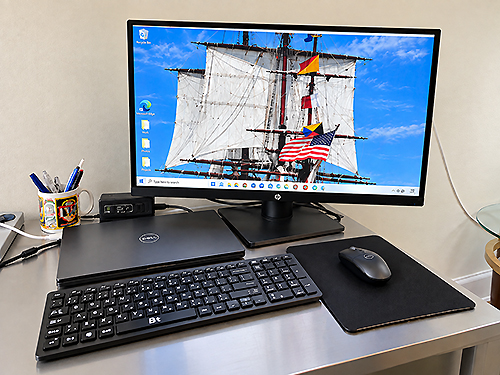
If we set up the MMA 5820 for remote access, an authorized user could connect from a laptop and use the 5820's greater processing power and editing software from elsewhere. Video and photos can be moved from an iPhone, and then processed on the 5820 in the lab. We also have several 27 in. monitors that people can also HDMI attach to their laptops, if they have software they like with them. What the 5820s provide: • Four front access bays which allow quick changing of SSD drives. Two drives are dedicated to Windows, programs, and Restore. Two drives are dedciated to Data and Data Back Up. 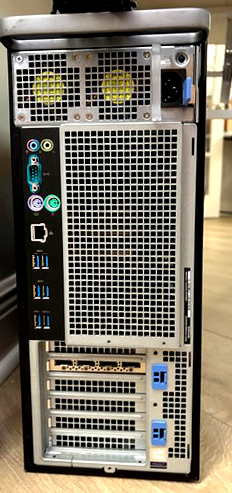 • Additional OneDrive backup
on one data drive: photo, text, video • Additional OneDrive backup
on one data drive: photo, text, video• Nvidia Quadro P2200 graphics card with four DisplayPort connections • 96 GB RAM • Windows 11 Pro for Workstations • Microsoft 365 Office/Clipchamp • SD Chip reader slot |